Getting ExpertSDR working on current Linux
It nearly always presents the same way: you double-click, nothing happens, and there is no error message worth reading. That symptom has a specific cause, and usually a one-line fix.
The short version. On Debian 12, Ubuntu 22.04/24.04 and Mint 21.3, run
sudo apt install libxcb-cursor0 and try again. If that doesn't do it, run
ldd against the binary — it will tell you exactly what's missing, and the rest
of this page is about what to do with that answer.
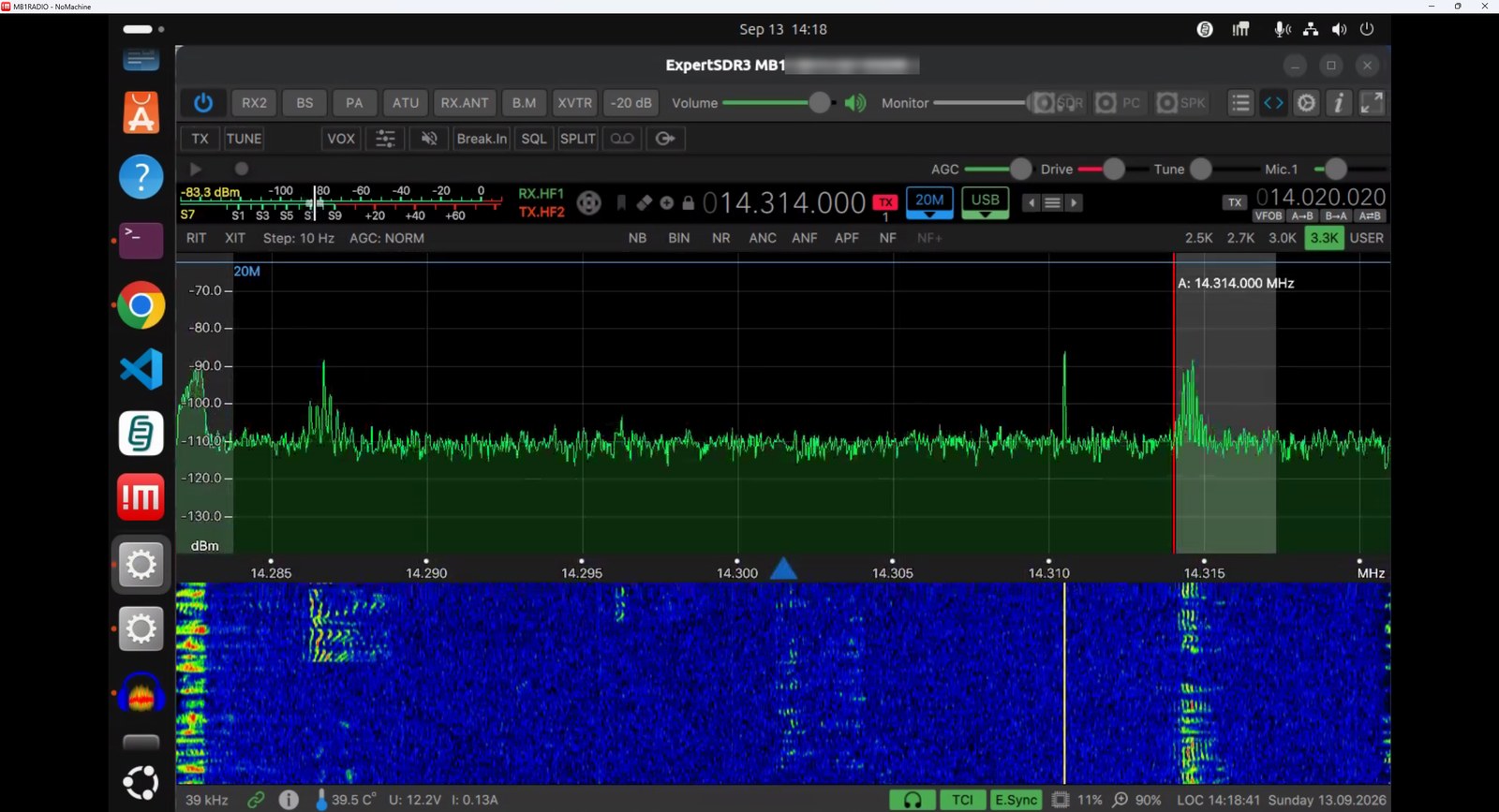
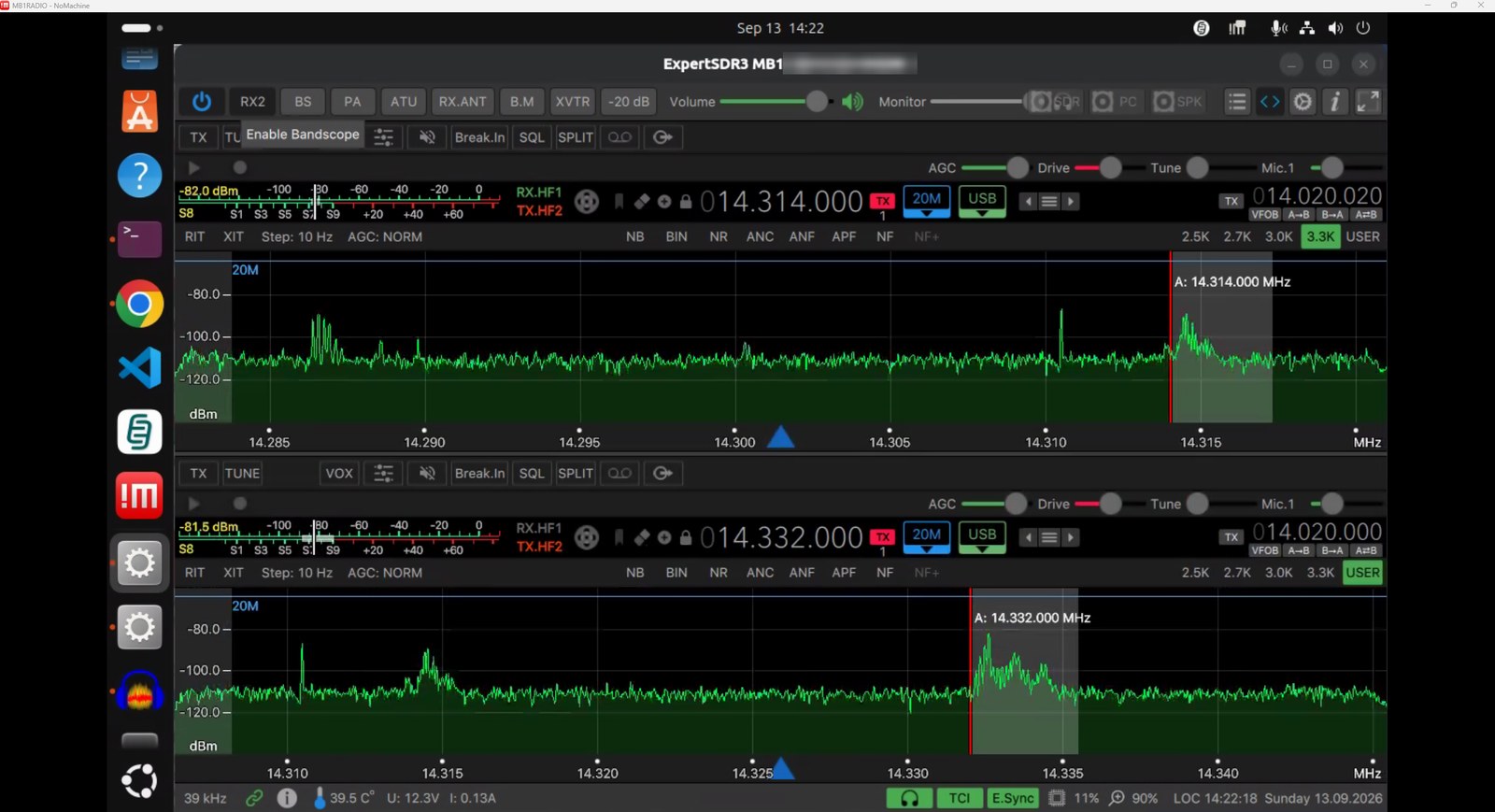
This is progress, not a finished bring-up. Receive, the panadapter and the waterfall are solid. Microphone input is not working yet, and there are outstanding video issues still being worked through. Anyone following this page should expect to land in the same place: launching is the first problem solved, not the last one.
First, the hard boundary
ExpertSDR2 and ExpertSDR3 are closed-source proprietary binaries. You cannot recompile them, patch them, or rebuild them against newer libraries. Expert Electronics publishes a bug tracker on GitHub, but not the source.
Their dependencies, however, are all open source — Qt, libxcb, OpenSSL, libicu. That is the lever. The fix is never "patch the app"; it is always supply the library the app expects. Which is good news, because that's a solved class of problem.
Known issue 1 — the documented launch failure
Expert Electronics' own forum carries a thread titled "Solution for Linux if ExpertSDR3 does not start", covering Debian 12, Ubuntu 22.04 and 24.04, and Linux Mint 21.3. The fix is a single package:
sudo apt install libxcb-cursor0
This is the classic Qt 6.5+ failure. From Qt 6.5 onward the xcb platform
plugin requires xcb-cursor0/libxcb-cursor0, which newer distributions
no longer install by default. Without it, Qt cannot load its platform plugin and the
application exits — often with no useful message, which is exactly why it reads as a
mysterious "it just doesn't start".
It also tells you something useful for everything that follows: ExpertSDR3 is a Qt 6 application, which is consistent with its OpenGL 3.3 requirement.
Known issue 2 — discovery happens only at startup
Bug tracker issue #91: the transceiver is detected only if it is powered and its network link is up when the application starts. Connect or power it afterwards and ExpertSDR3 never finds it. Still open, no developer response.
This bites harder on an MB1 than on an external radio, because the MB1's
SDR module hangs off an internal USB-LAN adapter. The internal
192.168.158.0/24 interface must be up and configured before ExpertSDR
launches. A boot-order or NetworkManager timing problem produces exactly the symptom "the
software can't see the radio" with nothing visibly wrong.
So the fix ordering is forced: get the interface right first, then launch.
Known issue 3 — the version gap
Expert Electronics states that ExpertSDR3 is tested on Ubuntu 24.04. If you're running something meaningfully newer, you're running a Qt 6 binary well ahead of its tested base — and that is precisely where removed or renamed libraries bite.
The command that settles it
None of the strategies below should be applied speculatively. One command tells you exactly which libraries are missing:
ldd /path/to/ExpertSDR3 | grep "not found"Anything listed is the precise problem. Empty output means the libraries are fine and the fault is elsewhere — the internal adapter, or a firmware mismatch. Knowing which of those two worlds you're in saves an evening.
Three strategies, cheapest first
-
Install the missing package
Works when the library still exists in the archive and simply isn't installed.
libxcb-cursor0is this case. Always try this first — it resolves the large majority of "won't start" reports.sudo apt install libxcb-cursor0 -
Supply an old library privately — do not downgrade the system
For libraries genuinely removed from newer Ubuntu —
libssl1.1is the usual example, dropped after 22.04 — fetch or build the old version and point only ExpertSDR at it:mkdir -p ~/expertsdr-libs # place the old .so files there, then launch via a wrapper: LD_LIBRARY_PATH=$HOME/expertsdr-libs:$LD_LIBRARY_PATH ExpertSDR3Do not install old OpenSSL system-wide. That downgrades TLS for everything on the box, including
sshd.LD_LIBRARY_PATHscopes the old library to this one process — contain it to the app that needs it. -
Containerise
If the dependency gap is wide, run ExpertSDR in an Ubuntu 24.04 container with host networking and X11 passthrough —
distroboxis the low-friction option. The host stays current; the app gets the exact base it was tested against. This is the durable answer if strategy 2 turns into a chain of missing libraries.Host networking is not optional here. The app must reach
192.168.158.200on the internal adapter, and OpenGL needs GPU device access.
Putting it in order
| Symptom | Most likely cause | Do this |
|---|---|---|
| Launches, then exits silently | Qt 6.5+ xcb platform plugin | Install libxcb-cursor0 |
ldd lists "not found" |
Library removed from your release | Strategy 2, then 3 |
| Starts, but no radio | Interface down at launch (issue #91) | Bring the interface up first, relaunch |
ldd clean, still no radio |
Internal adapter or firmware | Not a library problem — stop here |
Sources
- Solution for Linux if ExpertSDR3 does not start — Expert Electronics forum
- ExpertSDR3 bug tracker issue #91 — transceiver must be connected at boot
- ExpertSDR3 product page